Testing
Module description — Testing, from Orchestra 4.16.
Description
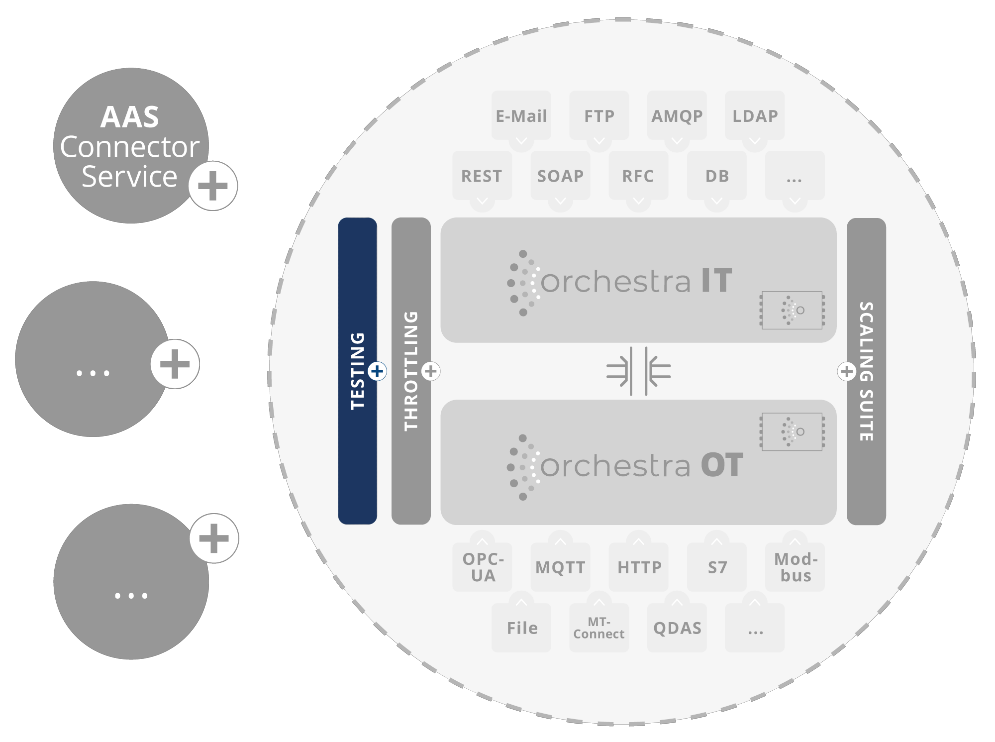
Thanks to the testing feature in Orchestra, you can not only improve your quality assurance and error detection, but also save time with simple test definition and repeatable tests. Developers, testers and business analysts can create, manage and execute tests for complete scenarios, workflows and individual function modules. All in a user-friendly description language. This function was introduced in Orchestra Designer from version 4.15 and offers extensive options for tracing differences in behavior.
Main features and functions
-
Test-Recorder:
- Recording of test cases: The Test Recorder allows users to record tests by executing segments or entire workflows and persisting the data in this history. This functionality makes it much easier to create test cases. This data can then be used for test execution.
- Simple description language: Tests are defined in an easy-to-understand description language that is accessible to both technical and non-technical users. This facilitates the creation of test scenarios and cases.
- Mocking of scenario elements: Even if peripheral systems are not available, users can test the entire run by mocking affected scenario elements, replacing them with existing test systems or starting Docker containers on-the-fly. This enables realistic tests without having to rely on external systems.
-
Test Runner:
- Repeatable tests: The Test Runner enables the repeatable execution of recorded tests. This saves time and resources, especially for regular regression tests. Individual tests can be grouped into test sets or test plans. This enables targeted testing of individual and bundled aspects of a scenario.
- Pipeline integration: The Orchestra Test Runner enables seamless integration of the testing feature into existing pipelines. The focus here is on flexibility in configuration.
-
Test profiles: With test profiles, the defined tests and test plans can be configured directly in the Designer. Users can assign categories, exclude certain tests or test groups and manage specific test landscapes according to their needs.
-
Assert functionality:
- Automated verification: Built-in assert functions enable automated verification of whether the actual behaviour of the application matches the expected behaviour. This supports reliable quality assurance.
- Transparency and traceability: Once the test has been completed, it is possible to navigate to the differences in a targeted manner and rectify the error quickly.
-
User-friendliness and documentation:
- Intuitive user interface: The user interface of the testing feature is user-friendly and easy to understand, enabling rapid integration into the development process.
- Comprehensive documentation: This is available to help users get started and ensure effective use of the feature.
Applications
- Regression tests: By recording and executing test cases, teams can carry out regular regression tests to ensure that new developments do not have any undesirable effects on existing functions.
- Userfriendly test definition: Business analysts and non-technical users can create easy-to-understand test scenarios.
- Troubleshooting and error tracking: In the event of failed tests, the assert functionality enables the rapid identification of problems and their precise localisation.
- Realistic tests: Even if external systems are not available, users can carry out realistic tests by mocking activities.
Target group
- Software developers who want to develop robust and error-free applications.
- Quality inspectors and testers who want to perform and repeat tests.
- Business analysts who want to create and review test cases in a user-friendly way.
- Product managers who want to ensure the quality and stability of their applications.
Benefits
- Improved quality assurance and error detection.
- Time savings through repeatable tests and simple test definition.
- User-friendly description language for tests.
- Traceability of differences in behaviour.
Requirements
- Orchestra version 4.15 or higher.
Note on usage
- Training and support for users is available to ensure that the feature is utilised effectively.
- Feedback and suggestions are always welcome in order to continuously improve the feature.
Licensing model
One test case can be recorded and executed per scenario with your Orchestra licence. If required, unlimited use can be re-licensed at any time. Please send enquiries to: customer@soffico.de.